🔬 The Documentation module is here — your knowledge base, inside Microscope
Community Product02-07-2026
Hello everyone 👋 Big news: Microscope gains a new Documentation module. Centralize your entire knowledge base — guides, procedures, decisions, onboarding — right next to your strategy, product and tech. 👇
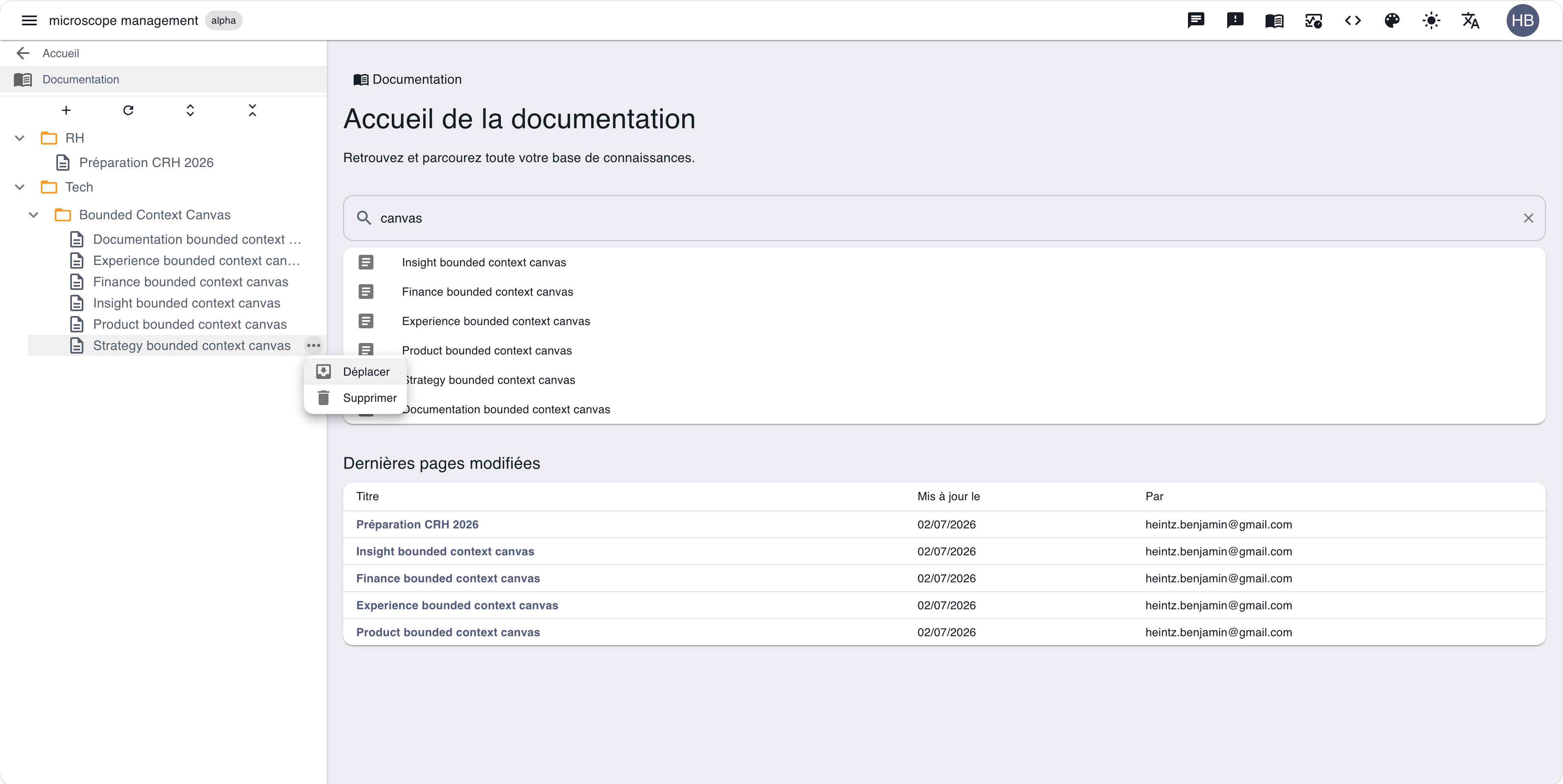
📚 A structured knowledge base Organize your content into folders and pages, nested however you like. Create, move, rename: your documentation tree grows with you.
🏠 A home built to find things fast The documentation home gives you the essentials at a glance:
- 🔎 Search by title — find a page in a few keystrokes.
- 🕔 Recently modified pages — pick up where the team left off.
🤖 Exposed to your agents Like the rest of the platform, your documentation is queryable through the GraphQL API and the MCP server — your coding agents reach it as a source of truth.
🖋️ And to write in it well: choose your editor experience When you write content in Microscope, you can pick the editing experience that suits you. No more one-size-fits-all editor — each piece of content, your way.
🧰 Three editing experiences A simple toggle (labelled Editor) lets you choose how you author content:
- 🔤 HTML (new default) — the classic rich-text editor (bold, lists, links…) for fast WYSIWYG editing. It's now the default experience.
- ✍️ Markdown — ideal for integrations from external services: a common, simple, portable format that's easy to reuse (e.g. service incidents, deployments).
- 🧱 Block (preview) — the Notion- or Microsoft Loop-style visual block editor, ideal for rich, structured documents. It was the historical default; it's now in preview and keeps working on your existing content.
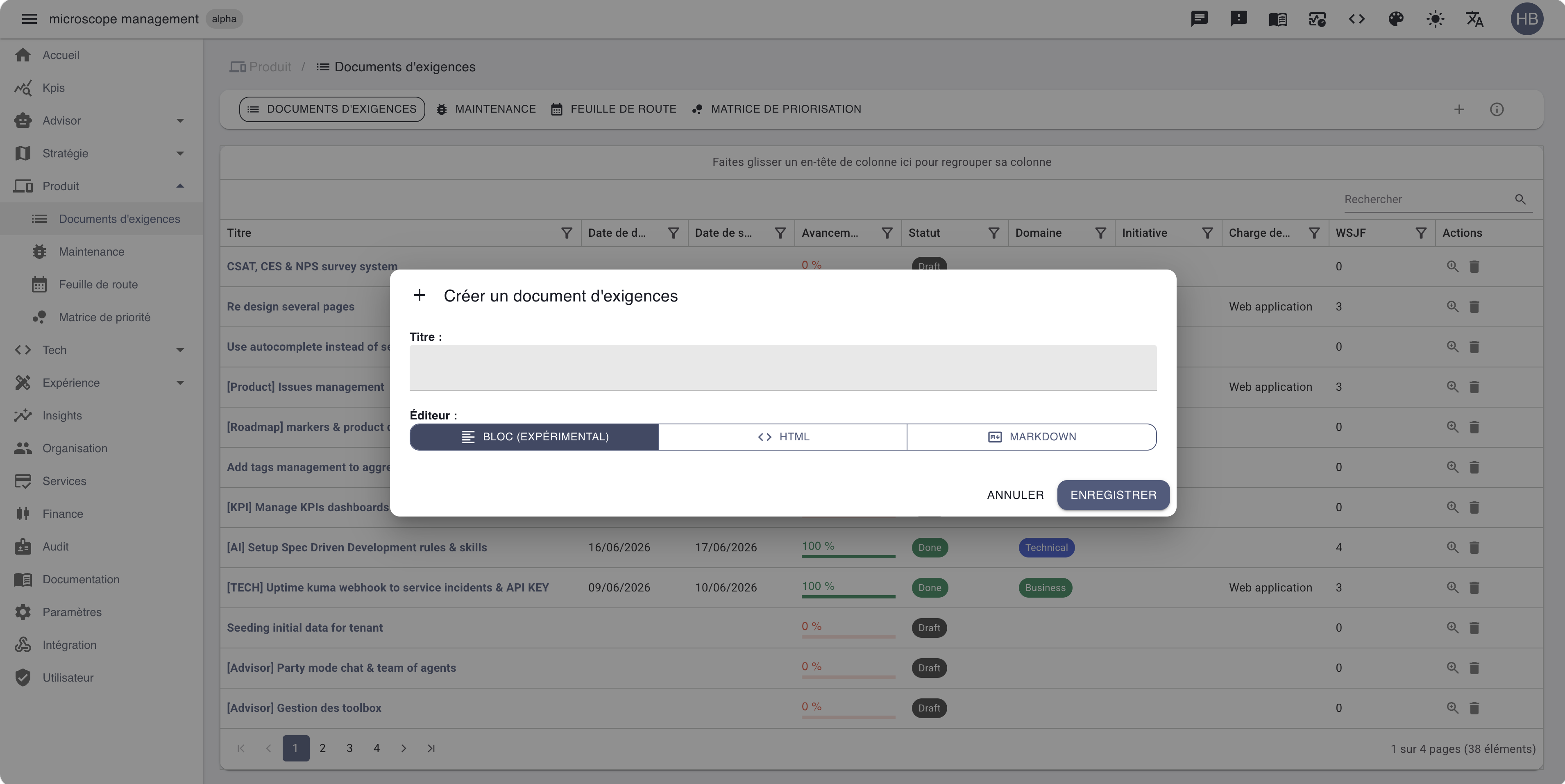
🎚️ One toggle, everywhere it matters The choice shows up wherever you author content across the platform:
- 🎯 Strategic Initiatives and Initiative Templates
- 🏛️ Governance Instances
- 📦 PRDs and Issues
- 🛠️ Service Incidents and Workloads
- 👥 Personae
- 📚 Documentation pages
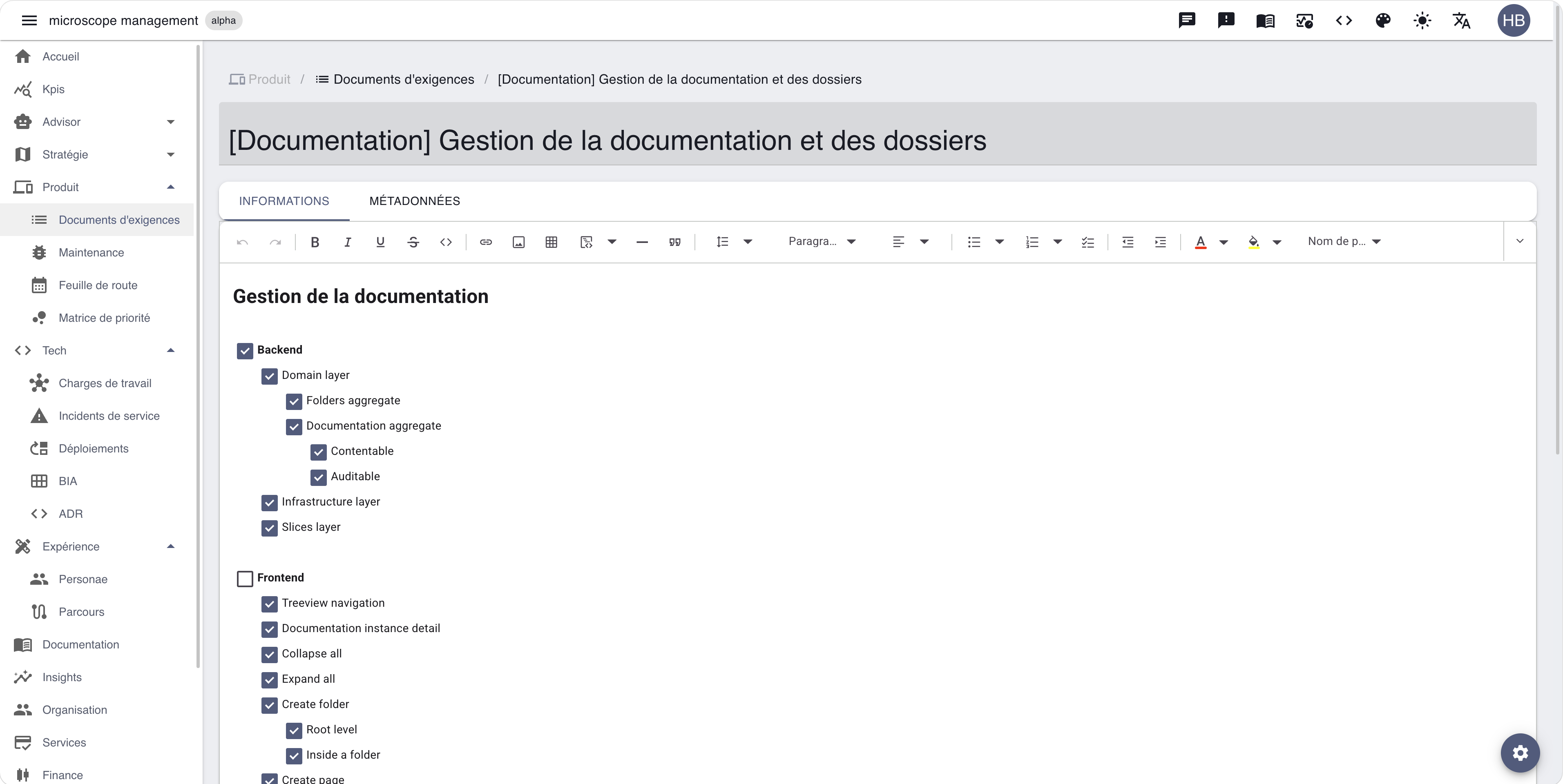
🧩 Templates pass the choice down — when you create from a template, the editor it was built with is inherited automatically, so your content stays consistent without a second thought.
💾 Save without thinking Whatever editor you pick, saving just works:
- ✅ Reliable capture — your latest keystrokes are always persisted, with no stale or blank content slipping through.
- ⌨️ Ctrl / ⌘ + S, anywhere — hit the shortcut from anywhere on the page to save on the spot.
Centralize your knowledge, write it in the editor you prefer, and let the platform handle the rest. More coming very soon. 🚀