📄 PRD (Product Requirements Document)
Definition
A PRD (Product Requirements Document) describes a feature or product change, including its purpose, scope, and expected behavior.
Budget allocation
Delivery work on a PRD is mapped to a CAPEX (capital expenditure) budget — it builds new assets and product value. This is the counterpart of Maintenance items, whose activities are mapped to an OPEX (operating expenditure) budget as they keep the existing run going.
How to define it properly
- Start with a clear problem statement
- Define goals and success metrics
- Describe user needs and use cases
- Specify functional requirements
- Include non-functional requirements (performance, security, etc.)
- Add acceptance criteria
- Keep it concise but complete
- Ensure alignment with the related Strategic Initiative
- Link it to the Workload it will be executed on
Requirements list
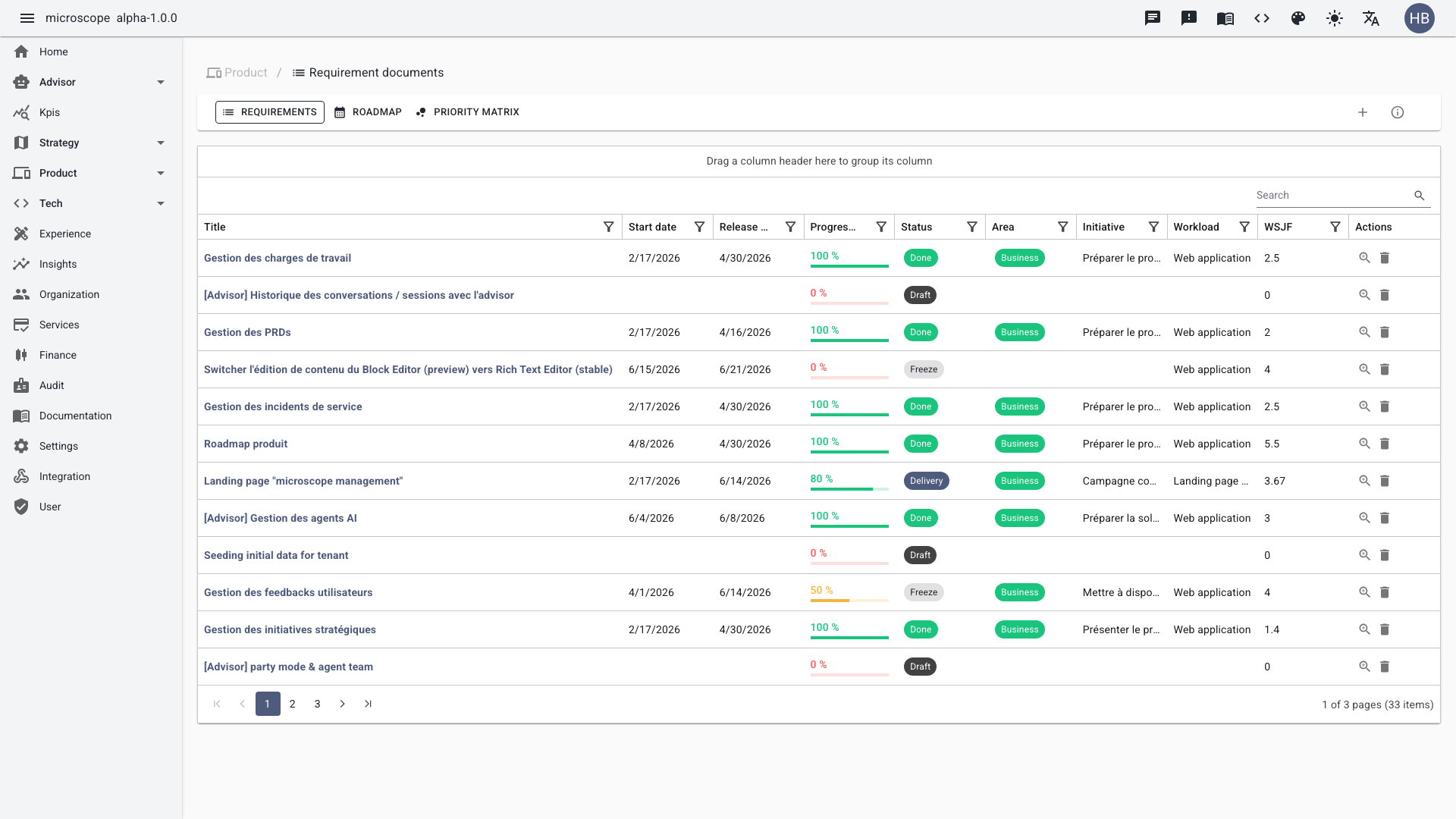
The list view shows all PRDs with their progress, status, domain, linked initiative, workload, and WSJF score. Sort by WSJF to surface the highest-value items.
Create a PRD
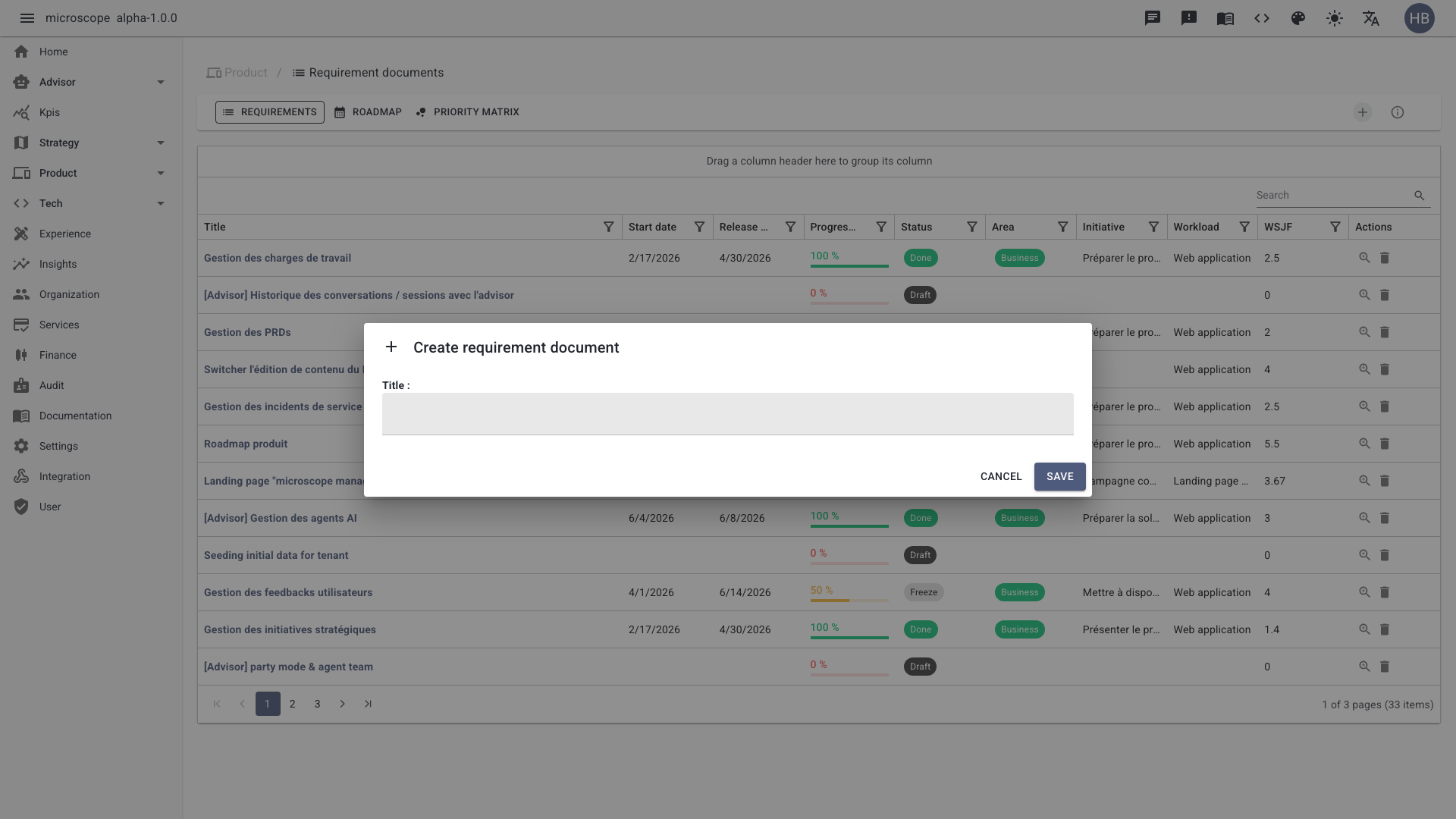
Use the Add button to open the PRD form. Capture the problem statement, link the parent initiative, and set the domain and WSJF inputs. The Advisor can help complete and structure the content.
PRD detail
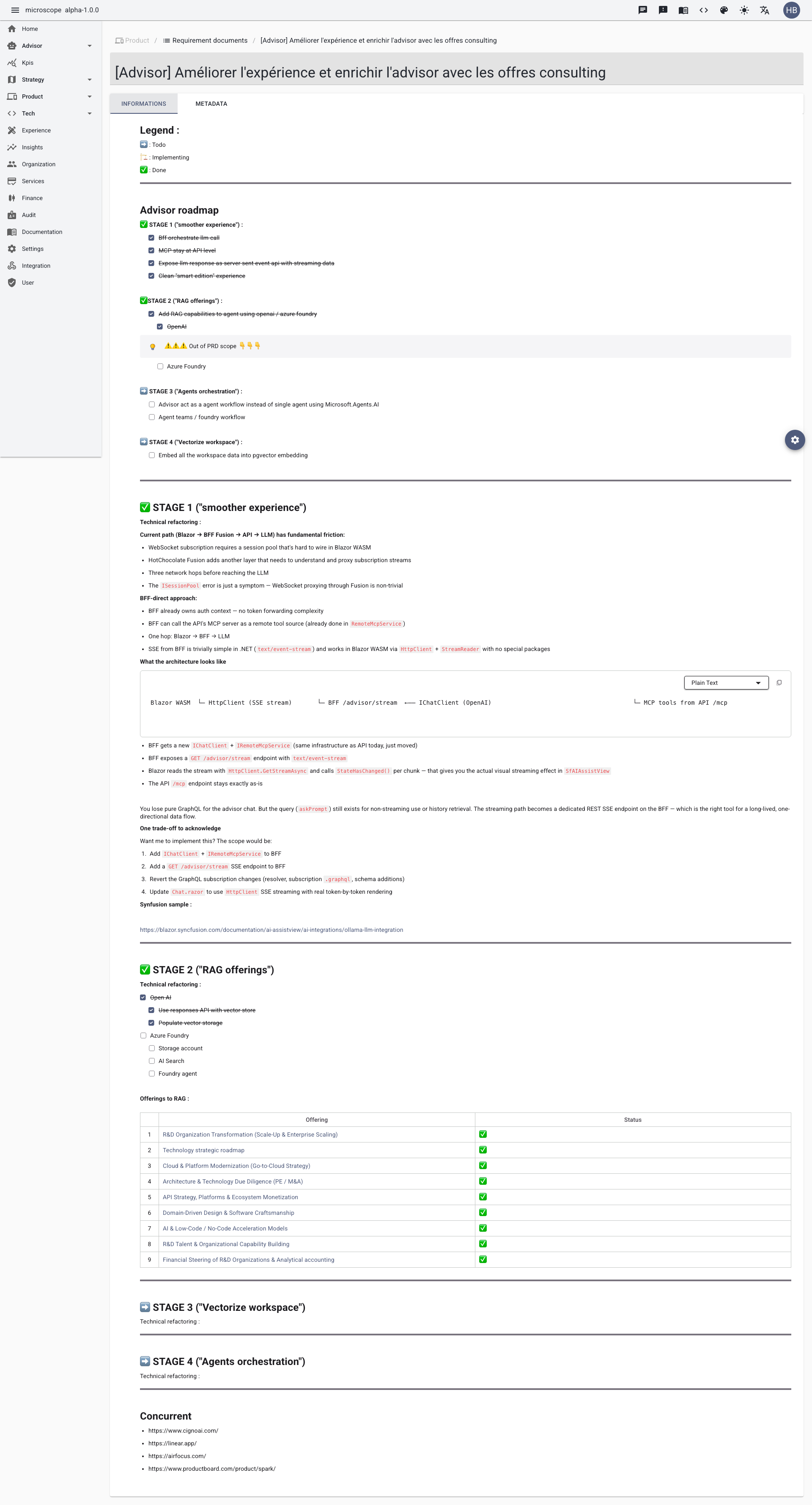
Open a PRD to access its detail view, organized into tabs.
Informations
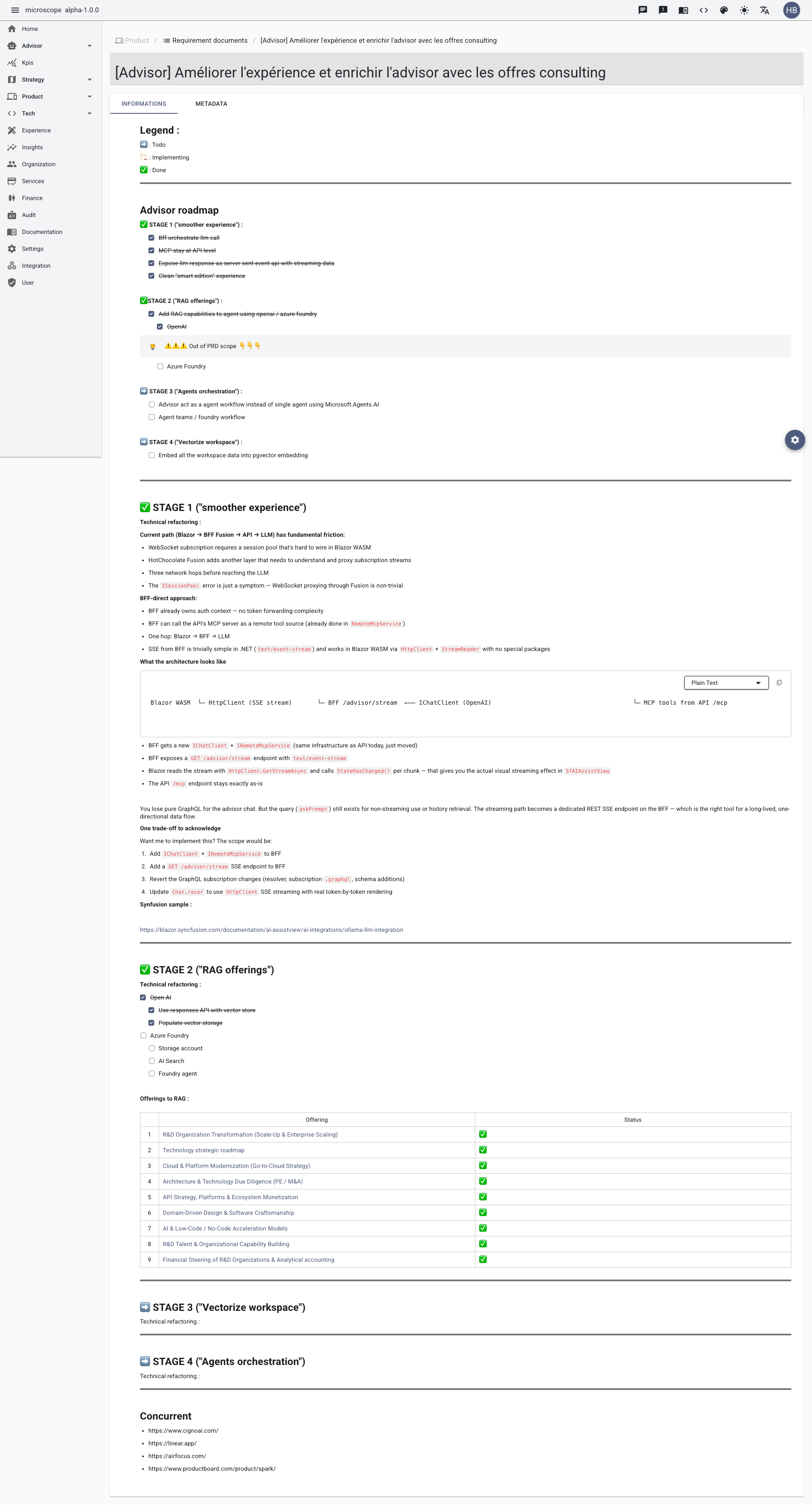
The Informations tab holds the main content of the PRD: problem, goals, requirements, and acceptance criteria.
Metadata
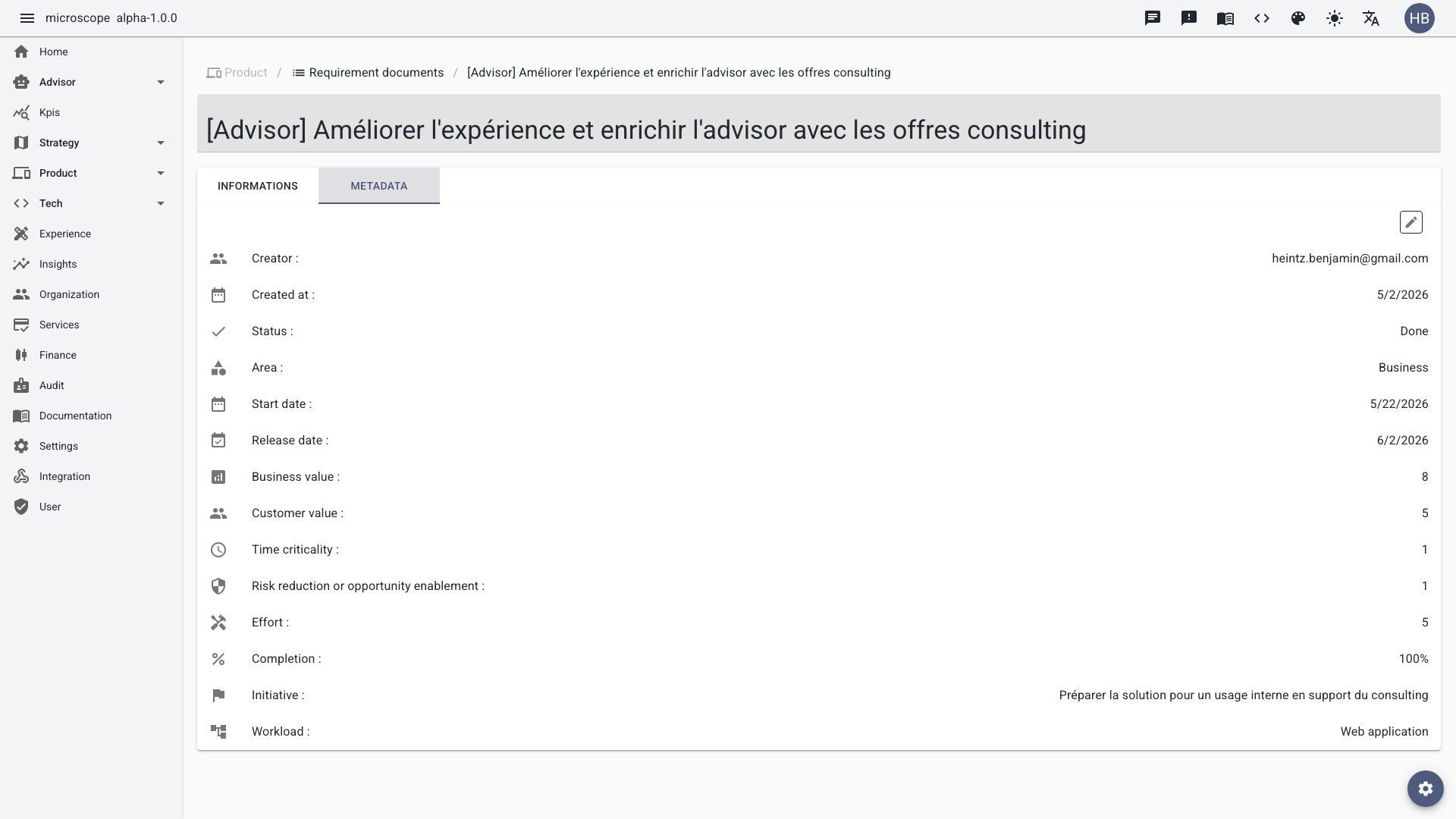
The Metadata tab gathers complementary attributes (dates, classification, links) used for reporting and traceability.