🔬 Find anything in a keystroke — global search & faster grids
Community Product11-07-2026
Hello everyone 👋 Two updates today, both about getting to what you need faster. 👇
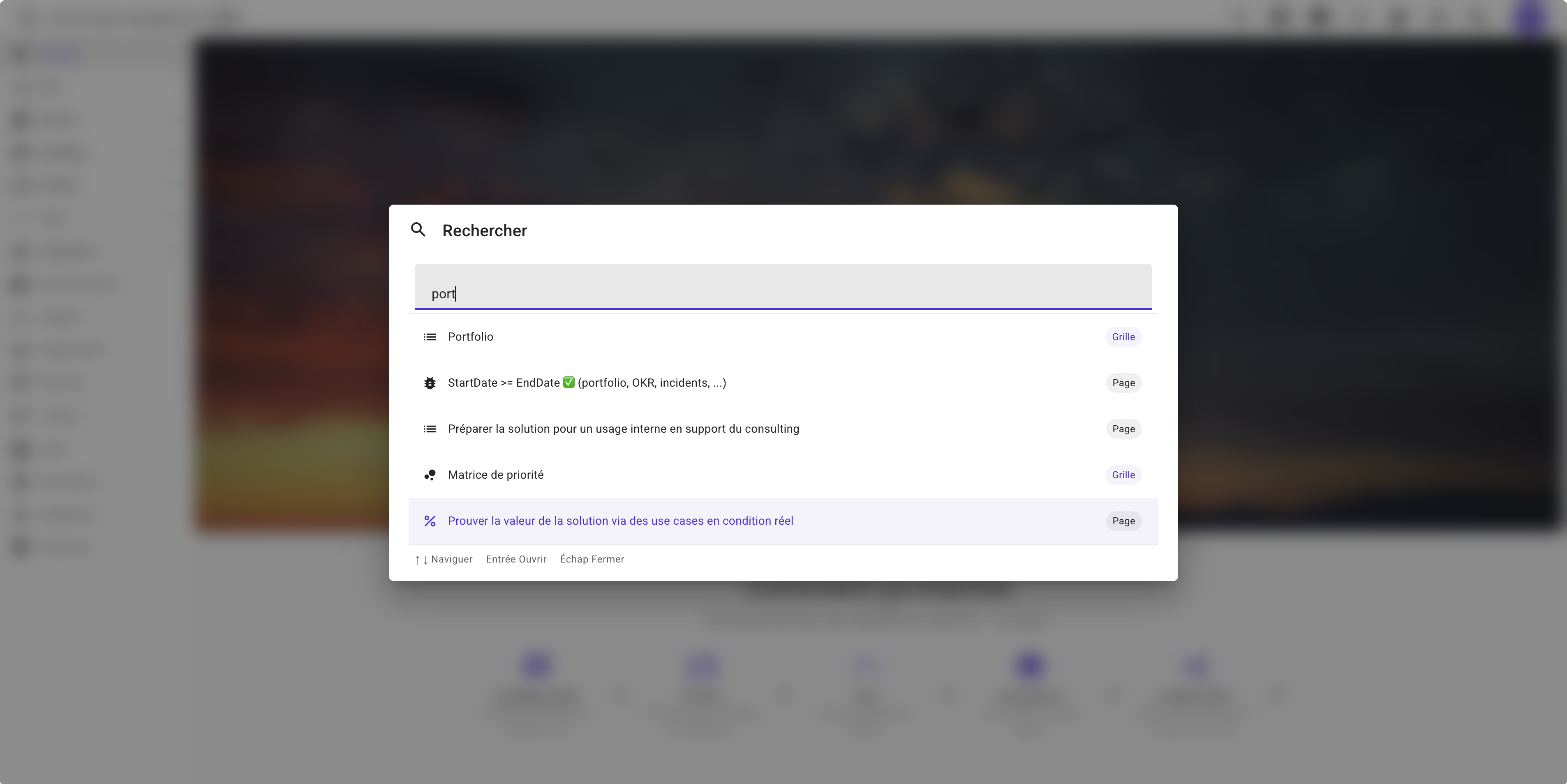
🔎 Global search — Ctrl / ⌘ + K, from anywhere Hit Ctrl+K (or ⌘+K on Mac) from any page, or click the search icon in the top bar. A command palette opens and starts matching as you type — no page reload, no menu to hunt through.
- 🗺️ Every page, instantly — jump to KPIs, OKRs, Portfolio, Roadmap, Requirements, Issues, Workloads, Incidents, Deployments, Documentation, Settings, and more, matched the moment you start typing.
- 🧭 Your records too — type 3+ characters and search extends to PRDs, Issues, OKRs, Strategic Initiatives, Workloads, Service Incidents, Personae and Documentation pages, ranked by relevance.
- ⌨️ Keyboard-first — arrow keys to move,
Enterto open,Escto close. Never leave the keyboard.
⚡ Grids re-engineered for industrial-grade performance As we prepare Microscope for production deployment, every data grid in the platform — Requirements, Issues, OKRs, Strategic Initiatives, Initiative Templates, Workloads, Service Incidents, Personae, Journeys, Advisor Agents, Advisor Tools — now filters, sorts and pages directly in the database instead of loading everything into your browser first.
- 🚀 Instant filtering & sorting — type a filter or click a column header, and only the matching page of rows comes back.
- 📈 Built to scale — grid performance no longer depends on how many rows exist, only on the page you're viewing, so it holds up under production-scale data volumes.
Two small changes, one goal: less waiting, more finding. 🚀