🔬 Templates everywhere — one library of reusable content, for every object
Community Product26-07-2026
Hello everyone 👋 Templates used to be a Strategic Initiative privilege. As of today they are a platform-wide capability: one library, seven object types, available in the UI, the API and to your coding agents. 👇
📐 A single template library, under Settings Templates now live in Settings → Templates, next to Workspaces — not buried inside the Strategy module. Create a template once, and it becomes part of your organization's shared writing standard.
- 🗂️ One place to manage them all — list, create, open, edit, and delete your templates from a single view at
/settings/templates. - 🎯 Each template targets one object type — you pick the target when you create it: PRD, Issue, Strategic Initiative, Service Incident, Workload, Persona, or Documentation Page.
- ✍️ Your editor, your choice — a template carries its own editor type (Block, Markdown, or HTML), so the format travels with the content.
- 🏢 Scoped to the workspace — like everything else, templates belong to a workspace, so each business unit curates its own standards.
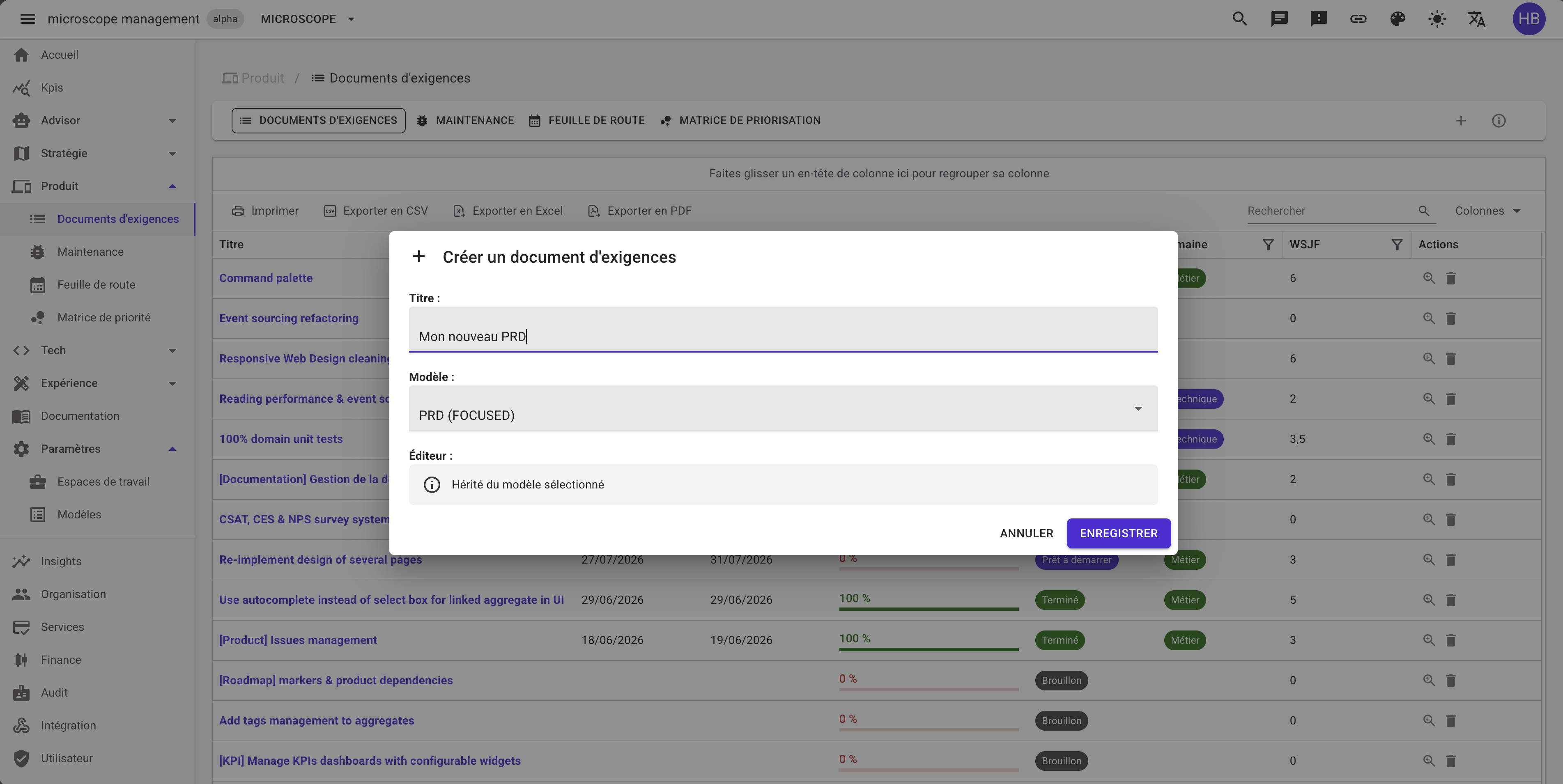
🚀 Pick a template when you create anything Every creation dialog for those seven object types now offers an optional Template dropdown, filtered to that object's type — you never see a PRD template while opening an incident.
- Click Add on any of the seven object types.
- Pick a template in the dropdown, or leave it on Empty to start from a blank page.
- Type your own title — the title always stays yours.
- Save: the body and the editor type are prefilled from the template, ready to be edited.
Why it matters: the hard part of a PRD, an incident report or a persona is rarely the writing — it's remembering what belongs in it. A template turns a blank page into a checklist, so every requirement, every post-mortem and every workload description follows the same structure across the whole organization. Onboarding a new team member becomes "fill in the sections", not "go find a good example".
🤖 Available to the API and to your agents, not just the UI Templates are exposed through the GraphQL API and through the MCP server, with the usual set of operations: list, get by id, create, update and delete. A coding agent connected to Microscope can therefore read your PRD template before drafting a requirement — and produce a document that matches your house standard instead of its own.
🧱 Under the hood: a contract between modules For the curious: this is the first time a module publishes a contract package that other modules depend on. The Settings module exposes a small, stable interface that Product, Strategy, Tech, Experience and Documentation call at creation time to resolve a template — without any of them knowing how templates are stored. Module boundaries stay intact, and the next Contentable object we ship gets templates for free.
One library, seven object types, zero blank pages. 🚀