🔬 Workspaces are here — organize and delegate access by business unit
Community Product23-07-2026
Hello everyone 👋 Today we're shipping one of the most requested capabilities: Workspaces — a new way to organize your platform and scope who can do what, unit by unit. 👇
🏢 Workspaces — one platform, structured around your organization Until now, access to Microscope was flat: everyone inside a tenant shared the same permissions. Workspaces change that. Your tenant covers your whole company; a workspace maps to a level below it — one per business unit or subsidiary. Each workspace brings together all of that unit's functions — Product, Sales, Marketing, and the rest — around the same shared OKRs, exactly the cross-functional alignment Microscope is built for.
- 🗂️ Group and scope — create a workspace for each business unit or subsidiary and keep all of its functions, data, and settings together.
- 🧭 Delegate without going all-in — hand a business unit's manager control over their own workspace, without granting blanket tenant-wide admin rights.
For example:
- A consulting firm using Microscope can create one workspace per client account, in addition to one for itself — mapping out the knowledge of each client account it supports (product activity, strategic initiatives, governance, technical landscape, etc.).
- An international group can create one workspace per country subsidiary (France, Germany, Spain, etc.), each running its own product roadmap and OKRs, while keeping a consolidated view at the group level.
- A group with several brands (e.g. multiple retail chains) can create one workspace per brand, each aligning its Product, Tech, and Marketing teams around its own strategy.
- A multi-product SaaS group can create one workspace per product line, with each BU aligning its own teams around its roadmap, independently of the others.
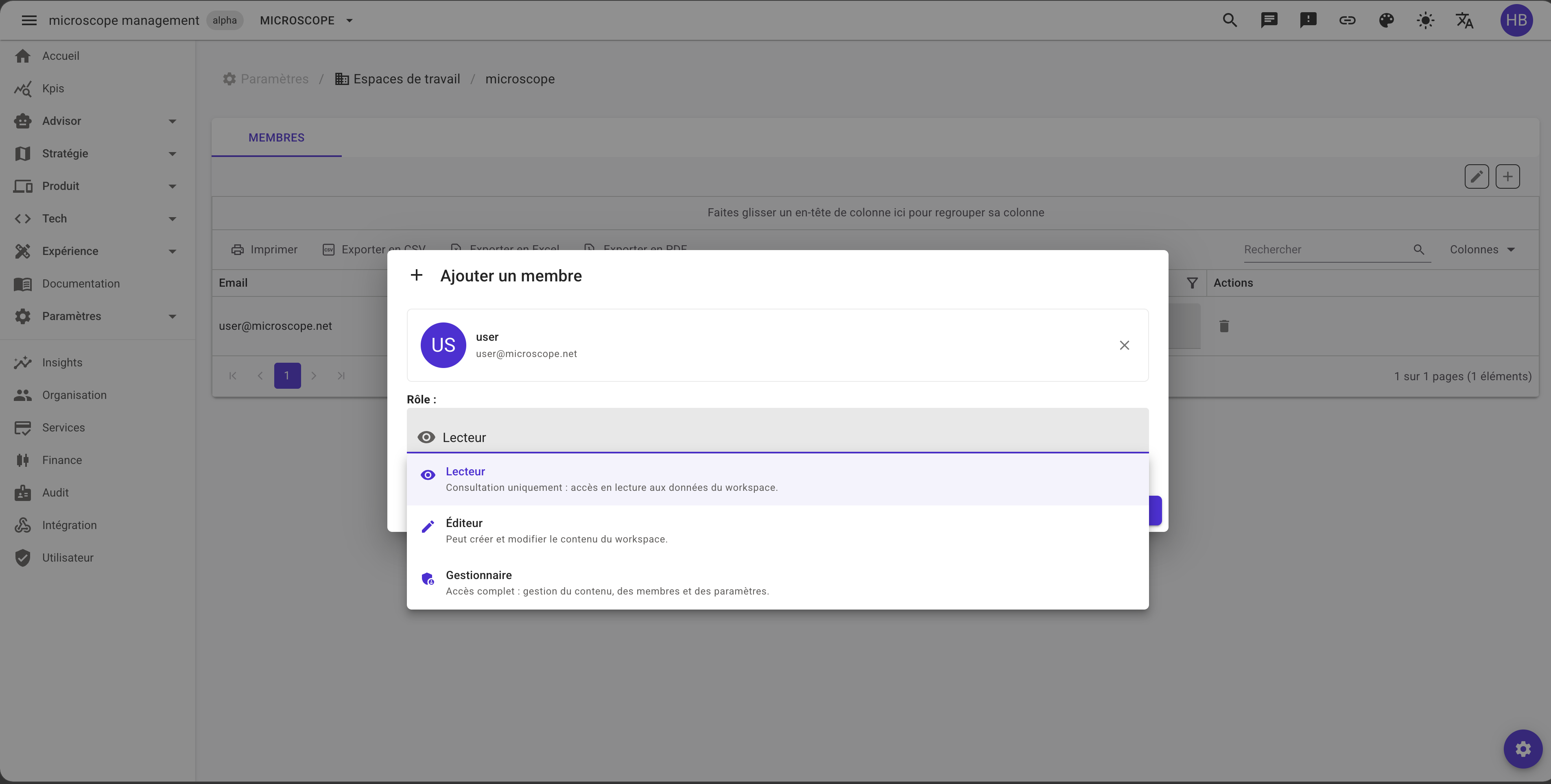
🔐 A real per-workspace authorization system Access is now scoped per workspace. Every member of a workspace is assigned one of three roles:
- 👁️ Reader — view only: read-only access to the workspace's data.
- ✏️ Editor — can create and modify workspace content.
- 🛡️ Manager — full access: manage content, members, and settings.
This means a company can finally split responsibility along its own structure — each business unit's or subsidiary's manager runs that unit's workspace and the shared OKRs inside it — instead of everyone sharing one flat permission model.
⚙️ How it works Everything lives under Settings → Workspaces.
- Open Settings → Workspaces to see the list of workspaces, and pick one to open its detail page.
- On the Members tab, click Add member, search a person by name or email, pick their role, and confirm.
- Need to adjust later? Change a member's role or remove them straight from the Members grid. You can also rename the workspace.
One concept, cleaner boundaries: structure the platform the way your organization already works, and give each unit exactly the access it needs. 🚀